September 21st, 2025
🤖 AI Form Creation – Smarter, Faster Form Building!
✨ How It Works
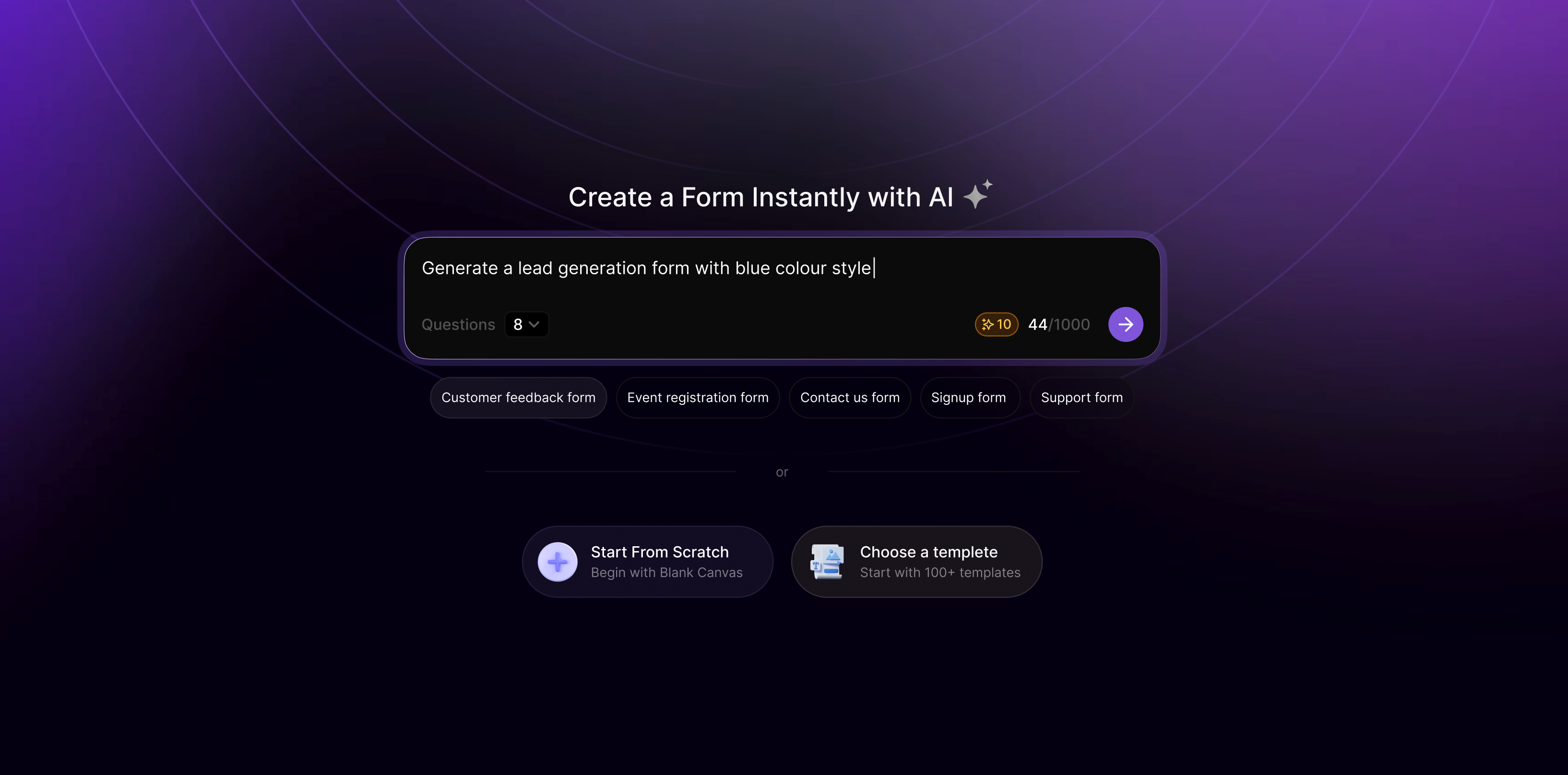
Click "Create New Form"
You’ll be launched directly into the AI Form Generator interface.Describe Your Form in Plain English
Tell the AI what kind of form you need (e.g., "A customer feedback form for an app with star ratings, comments, and contact info").Select How Many Questions You Want
Select the form length by specifying a number (e.g., 5 or 10 questions). AI will adapt accordingly.Credits-Based Access
Free users get 10 AI Credits
Pro users get 200 AI Credits/month
🔁 1 Credit = 1 Form Generation
⚠️ If you run out of credits, don't worry!
You can still start with a blank form or pick from templates to keep building.Get Your Form Instantly
Your form is generated with:Fields and logic based on your prompt
A suggested theme (colours, fonts, background)
Pre-filled questions and layout
Ready for you to customise further!
💡 Why You'll Love It
No more wasting time dragging and dropping components manually.
Smart defaults reduce setup time by 80%.
Great for marketers, designers, and non-technical users.
📌 Tip: You can always preview your remaining credits inside your dashboard. When you're out of credits, upgrade to Pro or use templates to keep going.